
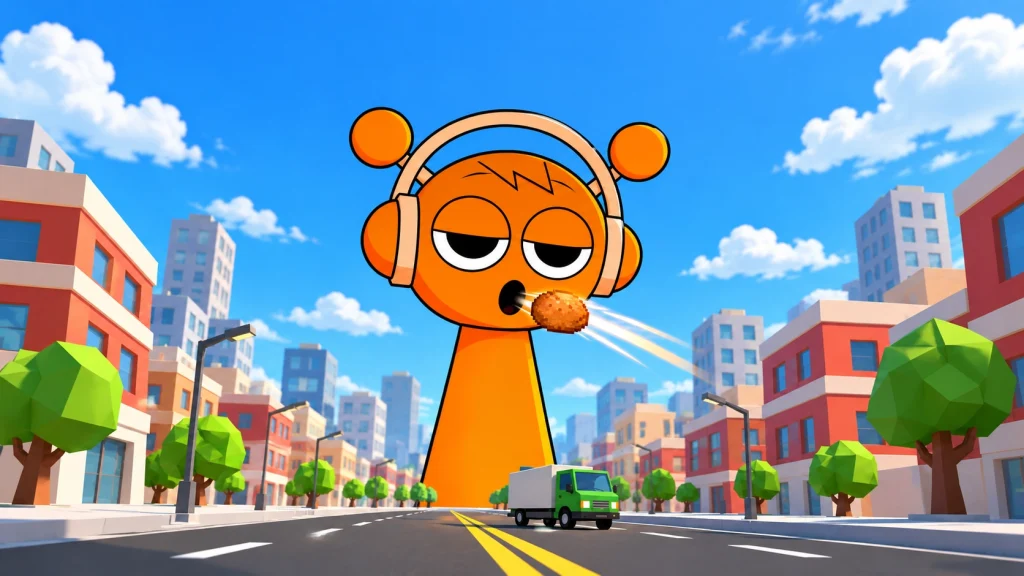






FEEDING OREN SPRUNKI turns a simple snack into a growing spectacle. Click to feed the orange, headphone-wearing Oren, collect hearts, then exchange them for coins to buy better food. As he grows, the passing trucks and city scenery make his changing size easy to notice. The next purchase gives you a reason to keep feeding: more hearts from each accepted bite, followed by another upgrade to work toward.
How feeding and coins work
Start with the highlighted Oren button in the tutorial, then click Oren to send food toward his mouth. Watch the green heart counter increase. Hearts and coins are separate resources: use Exchange on the right to turn your accumulated hearts into spendable coins. In the tested early stages, the conversion was one heart for one coin.
The food panel beneath Exchange shows the next upgrade, its heart value and its coin price. Buying it changes the food you feed Oren. The opening progression was:
| Food stage | Upgrade cost | Hearts per accepted feed |
|---|---|---|
| Starting food | — | 3 |
| Bagel | 42 coins | 4 |
| Bread | 160 coins | 8 |
| Fried egg | 420 coins | 12 |
These are measured early upgrades, rather than a complete food list. Food keeps flying toward Oren as you feed him, while the surrounding scene gives the growth more personality than a counter alone.
Build up food, then expand your collection
If your goal is faster earning, saving for food is a useful early choice. The 160-coin bread upgrade doubled the measured return from four hearts to eight. A character unlock competes for the same coins: the first locked red character cost 50, slightly more than the first food upgrade. You can pursue the cast earlier, or put those coins toward stronger feeding first.
Character tiles also have play controls, introduced by the tutorial as a way to make a melody. Unlocking a tile and starting its performance are separate actions. Check the tile after buying it instead of expecting the purchase itself to change the character you are feeding.
Once the auto-click button appears at the lower left, enable it to let feeding continue while the game runs. It visibly accumulated hearts during testing, and the same button switches it off. Continue watching the counters: automatic feeding earns hearts, so you still need to exchange them for coins before making a purchase.
Explore the scene and control the night
Drag across the scene to change the viewing angle. The location button opens a second area with a different roster. Its starting counters and food progression were separate from the first area's, so switching locations is an opportunity to explore another setup rather than spend the same visible coin balance everywhere.
The cheerful daytime presentation can change into horror imagery at night. If you prefer the daytime character designs, open the gear menu and enable ONLY A DAY. That setting restored daylight during testing.
The gear menu also contains START AGAIN, followed by a confirmation prompt. Use it carefully: confirming returned the tested area's hearts, coins and food to their starting values. A normal page reload retained the tested progress, although that single check does not establish offline earnings or long-term save reliability.
The appeal is watching repeated bites become visible growth while deciding between the next food purchase and another character. For another Sprunki-themed clicker, try Sprunki Clicker.